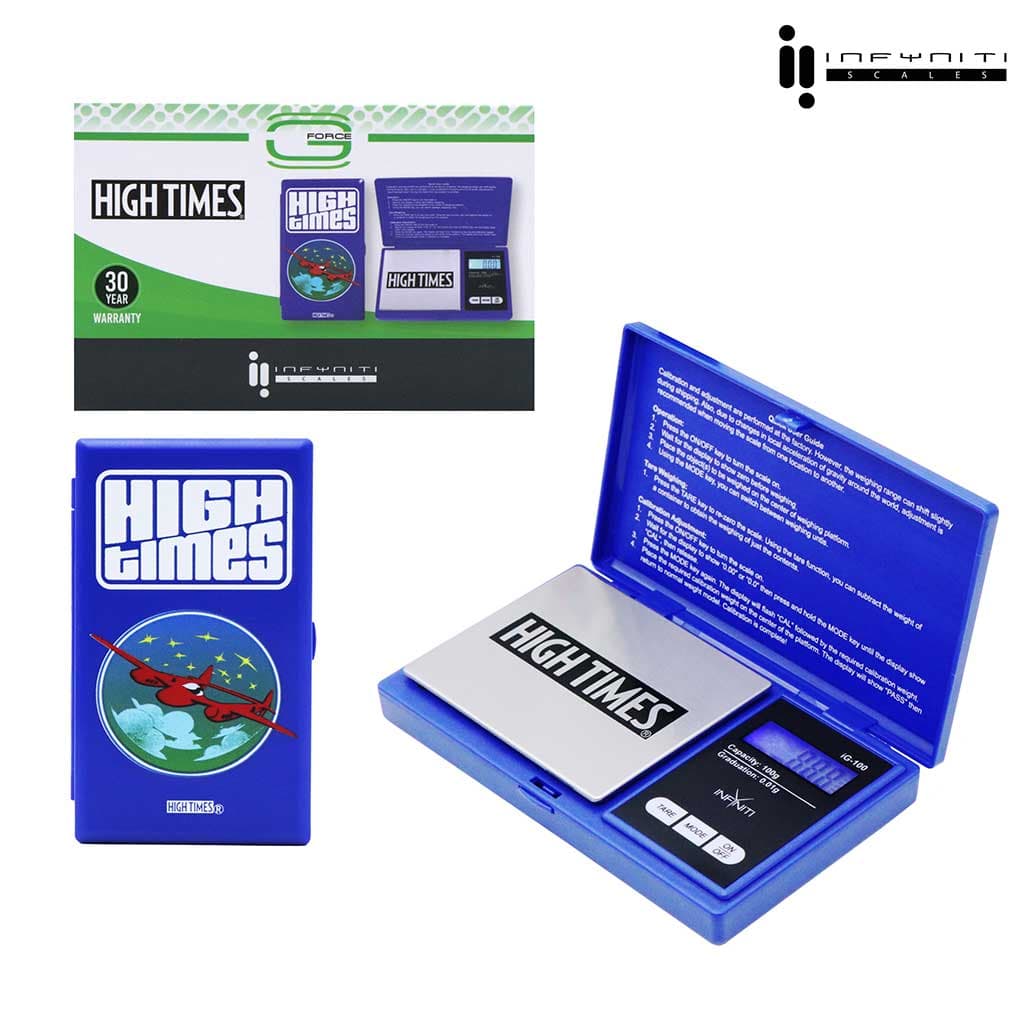
High Times G- Force -100g X 0.01g
Precision Matters: You need to measure things with accuracy down to a hundredth of a gram (0.01g). Moderate Capacity: The items you weigh are usual...
Quantity
Description
This digital scale from the High Times G-Force line weighs up to 100 grams in 0.01 gram steps. It switches between grams, ounces and carats, and offers a one-touch tare button and simple calibration. A protective cover doubles as a weighing tray.
Precision Matters: You need to measure things with accuracy down to a hundredth of a gram (0.01g). Moderate Capacity: The items you weigh are usually under 100 grams (around 3.5 ounces). Portability is Key: You need a small scale that fits easily in a pocket, bag, or case. Multiple Units: You want to switch between different units like grams (g), ounces (oz), and carats (ct). Simple Operation: You prefer easy-to-use functions like a one-touch tare button and simple calibration. All-in-One Kit: You want a scale with a protective cover that you can also use as a weighing tray. Dry Goods: Get precise weights to ensure consistency. Jewelry & Gems: Measure carats and grams for small precious items. Kitchen & Hobbies: Weigh spices, baking ingredients, or crafting materials with accuracy. Reloading Supplies: Accurately measure powder charges and other small components. Place the scale on a flat, stable surface that's away from any air drafts. Turn the scale on and wait for the display to read "0.00". Press and hold the 'MODE' key until the display shows 'CAL'. Press the 'MODE' key again. The display will flash the required weight (100.00). Gently place a 100g weight on the center of the platform. The display will show 'PASS', meaning calibration is done. Remove the weight and turn off the scale. Find a Stable Surface: Always use the scale on a flat, level table without any vibrations. Power On & Settle: Turn the scale on and give it a moment to settle at "0.00". Use the Tare Function: If using a tray, place it on the scale and press 'TARE' to zero it out. Place Material Gently: Carefully set the item you want to weigh in the center of the platform. Record the Weight: Wait for the numbers to stop changing before writing down the final weight. Clean and Store: After you are done, wipe the platform clean and store the scale with its cover on in a dry place. Browse our complete collection of Digital Gram Scales.
Specifications
- Country of Origin
- United States of America